
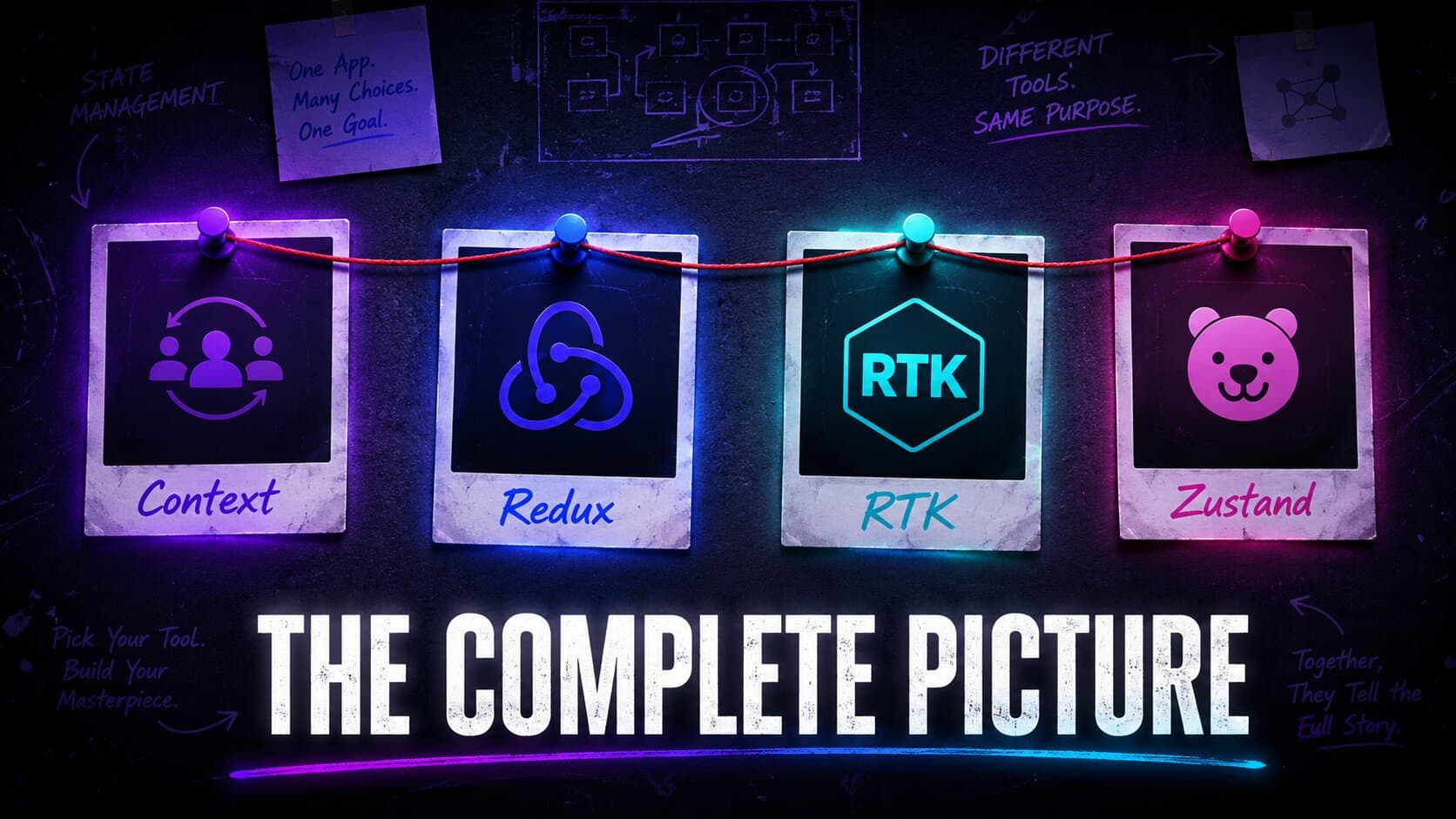
Context, Redux, RTK & Zustand — The Complete Picture
Why do all these state management solutions exist, and when should you reach for each one? A clear, no-fluff guide for React developers.
State management in React has always been a heated debate in the frontend community. Everyone has an opinion. But very few explain the why behind each choice.
This blog isn't a tutorial. What you will find is a clear answer to the question that actually matters —
Why do all these solutions exist, and when should you reach for each one?
We'll walk through Context, Redux, Redux Toolkit, and Zustand — not just what they do, but what problem they were born to solve, where they shine, and exactly where they start to crack under pressure.
React's ecosystem in 2026 is more mature than ever, yet the state management debate is still alive — because there is no single right answer. The right tool depends on your app's scale, your team's size, and how much complexity you're willing to trade for control.
By the end, you won't just know these tools. You'll understand them well enough to make the right call on your next project — without second-guessing yourself every time.
Let's get into it. 🚀
The Starting Point: React Context API#
Before reaching for any external library, React gives you something out of the box — the Context API. And for a lot of use cases, it's genuinely all you need.
What is Context and why does it exist?#
Context was React's answer to prop drilling — the painful pattern of passing data through layers of components that don't even need it, just to get it to the one that does.
With Context, you wrap part of your tree in a Provider, store your value there, and any component inside that tree can consume it directly — no props required.
// 1. Create the context
const ThemeContext = createContext();

// 2. Wrap your tree with a Provider
export function ThemeProvider({ children }) {
  const [theme, setTheme] = useState("light");

  return (
    <ThemeContext.Provider value={{ theme, setTheme }}>
      {children}
    </ThemeContext.Provider>
  );
}

// 3. Consume it anywhere inside the tree
function Navbar() {
  const { theme, setTheme } = useContext(ThemeContext);

  return (
    <nav className={theme}>
      <button onClick={() => setTheme(theme === "light" ? "dark" : "light")}>
        Toggle Theme
      </button>
    </nav>
  );
}
Clean, no third-party library, works great for global UI state like themes, locale, or auth — things that don't change too often.
When Context works perfectly ✅#
- Theme switching (dark/light mode)
- Auth state (is the user logged in?)
- Language / locale preferences
- Any state that is read frequently but updated rarely
Where Context starts to crack ❌#
Here's the part most tutorials skip. Context has a re-rendering problem.
Every time the value inside a Provider changes, every component consuming that context re-renders — even if it only uses a small part of that value.
const AppContext = createContext();

export function AppProvider({ children }) {
  const [user, setUser] = useState(null);
  const [cart, setCart] = useState([]);
  const [notifications, setNotifications] = useState([]);

  return (
    <AppContext.Provider
      value={{ user, setUser, cart, setCart, notifications, setNotifications }}
    >
      {children}
    </AppContext.Provider>
  );
}

// This component only cares about `user`
// But it will re-render every time `cart` or `notifications` change too 😬
function UserAvatar() {
  const { user } = useContext(AppContext);
  return <img src={user.avatar} />;
}
Context API Live Demo: Re-render Visualizer
Click any action and all three consumers flash because the shared provider value changed.
Only reads theme
Only reads user
Only reads count
You can work around this by splitting contexts, memoizing values, or using useReducer — but at that point, you're essentially building your own state management solution. And that's exactly the moment when you start looking at Redux.
Use Context when: your state is simple, updates are infrequent, and you don't want to add a dependency. Don't use it as a global store for frequently changing, complex state.
The Veteran: Redux#
So Context started showing cracks. Your state is growing, updates are frequent, and re-renders are getting out of hand. You need something more structured. This is exactly the gap Redux was built to fill.
Redux came out in 2015 and quickly became the industry standard for state management in React. And for good reason — it brought predictability and structure to a problem that was getting messy fast.
The core idea#
Redux is built around three principles:
- Single source of truth — your entire app state lives in one store
- State is read-only — you can't mutate state directly, ever
- Changes happen through pure functions — called reducers
The data flow is always one direction:
UI dispatches an Action → Reducer handles it → Store updates → UI re-renders
No surprises. No side effects. Every state change is traceable.
Let's see it in action#
We'll build a simple cart example. It is still tiny, but it feels closer to the kind of shared state real apps actually manage. More importantly, pay attention to how much setup it takes. That's the point.
1. Define your actions
// actions/cartActions.js
export const ADD_ITEM = "ADD_ITEM";
export const REMOVE_ITEM = "REMOVE_ITEM";
export const CLEAR_CART = "CLEAR_CART";

export const addItem = (item) => ({ type: ADD_ITEM, payload: item });
export const removeItem = (id) => ({ type: REMOVE_ITEM, payload: id });
export const clearCart = () => ({ type: CLEAR_CART });
2. Write your reducer
// reducers/cartReducer.js
import { ADD_ITEM, REMOVE_ITEM, CLEAR_CART } from "../actions/cartActions";

const initialState = { items: [] };

export function cartReducer(state = initialState, action) {
  switch (action.type) {
    case ADD_ITEM:
      return { ...state, items: [...state.items, action.payload] };
    case REMOVE_ITEM:
      return {
        ...state,
        items: state.items.filter((item) => item.id !== action.payload),
      };
    case CLEAR_CART:
      return { ...state, items: [] };
    default:
      return state;
  }
}
3. Create the store
// store/index.js
import { createStore } from "redux";
import { cartReducer } from "../reducers/cartReducer";

export const store = createStore(cartReducer);
4. Wrap your app with Provider
// main.jsx
import { Provider } from "react-redux";
import { store } from "./store";
import App from "./App";

function Main() {
  return (
    <Provider store={store}>
      <App />
    </Provider>
  );
}
5. Connect your component
// components/Cart.jsx
import { useSelector, useDispatch } from "react-redux";
import { addItem, removeItem, clearCart } from "../actions/cartActions";

function Cart() {
  const items = useSelector((state) => state.items);
  const dispatch = useDispatch();

  return (
    <div>
      <h1>Cart ({items.length})</h1>
      <button
        onClick={() =>
          dispatch(addItem({ id: 1, name: "Mechanical Keyboard" }))
        }
      >
        Add Item
      </button>
      <button onClick={() => dispatch(removeItem(1))}>Remove Item</button>
      <button onClick={() => dispatch(clearCart())}>Clear Cart</button>
    </div>
  );
}
That's 5 files for a tiny cart. Let that sink in. 😅
When Redux works perfectly ✅#
- Large scale applications with complex, deeply nested state
- Teams where predictability and strict structure matter
- Apps that need powerful DevTools — time travel debugging, action logs, state snapshots
- When multiple developers are working on the same state and you need clear boundaries
Where Redux starts to crack ❌#
Redux doesn't have a scaling problem — it has a verbosity problem.
For every new feature you add, you're writing:
- A new action type constant
- An action creator function
- A reducer case
- Wiring it all up
And if you need async logic — like fetching data from an API — you're pulling in redux-thunk or redux-saga on top of all of that.
// Just to fetch a user asynchronously in classic Redux... brace yourself
export const fetchUser = (id) => async (dispatch) => {
  dispatch({ type: FETCH_USER_REQUEST });
  try {
    const res = await fetch(`/api/users/${id}`);
    const data = await res.json();
    dispatch({ type: FETCH_USER_SUCCESS, payload: data });
  } catch (err) {
    dispatch({ type: FETCH_USER_FAILURE, payload: err.message });
  }
};
And that's just one async action. Multiply this by every API call in your app and you'll understand why developers started complaining.
The power was never the issue. The boilerplate was killing productivity.
Use Redux when: you're building a large, complex app where structure and traceability matter more than speed of development. If you're starting a new project today though — skip straight to RTK. There's no reason to write classic Redux from scratch in 2026.
The Glow Up: Redux Toolkit (RTK)#
The Redux team heard the complaints. Loud and clear. So in 2019 they shipped Redux Toolkit — and officially declared it the recommended way to write Redux. No asterisks, no "it depends." Just — use this.
RTK isn't a replacement for Redux. It is Redux — just without the ceremony. Same principles, same data flow, same DevTools. But the boilerplate? Slashed.
What RTK gives you out of the box#
createSlice— combines action types, action creators, and reducers into one placeconfigureStore— sets up the store with good defaults, Redux DevTools included automaticallycreateAsyncThunk— handles async logic without redux-thunk setup- Immer built-in — you can write "mutating" logic in reducers and it handles immutability under the hood
Let's rebuild the same cart. Watch how much disappears. 👀
1. Create a slice
// features/cart/cartSlice.js
import { createSlice } from "@reduxjs/toolkit";

const cartSlice = createSlice({
  name: "cart",
  initialState: { items: [] },
  reducers: {
    addItem: (state, action) => {
      state.items.push(action.payload);
    },
    removeItem: (state, action) => {
      state.items = state.items.filter((item) => item.id !== action.payload);
    },
    clearCart: (state) => {
      state.items = [];
    },
  },
});

export const { addItem, removeItem, clearCart } = cartSlice.actions;
export default cartSlice.reducer;
That's it. Actions, action creators, and reducer — all in one file. No separate constants, no spread operators, no switch statement.
2. Configure the store
// store/index.js
import { configureStore } from "@reduxjs/toolkit";
import cartReducer from "../features/cart/cartSlice";

export const store = configureStore({
  reducer: {
    cart: cartReducer,
  },
});
3. Component stays almost the same
// components/Cart.jsx
import { useSelector, useDispatch } from "react-redux";
import { addItem, removeItem, clearCart } from "../features/cart/cartSlice";

function Cart() {
  const items = useSelector((state) => state.cart.items);
  const dispatch = useDispatch();

  return (
    <div>
      <h1>Cart ({items.length})</h1>
      <button
        onClick={() =>
          dispatch(addItem({ id: 1, name: "Mechanical Keyboard" }))
        }
      >
        Add Item
      </button>
      <button onClick={() => dispatch(removeItem(1))}>Remove Item</button>
      <button onClick={() => dispatch(clearCart())}>Clear Cart</button>
    </div>
  );
}
From 5 files down to 2. Same result. Same DevTools. Same predictability.
Bonus: Async with createAsyncThunk#
Remember that ugly async action from the Redux section? Here's the RTK version:
// features/user/userSlice.js
import { createSlice, createAsyncThunk } from "@reduxjs/toolkit";

export const fetchUser = createAsyncThunk("user/fetchUser", async (id) => {
  const res = await fetch(`/api/users/${id}`);
  return res.json();
});

const userSlice = createSlice({
  name: "user",
  initialState: { data: null, loading: false, error: null },
  reducers: {},
  extraReducers: (builder) => {
    builder
      .addCase(fetchUser.pending, (state) => {
        state.loading = true;
      })
      .addCase(fetchUser.fulfilled, (state, action) => {
        state.loading = false;
        state.data = action.payload;
      })
      .addCase(fetchUser.rejected, (state, action) => {
        state.loading = false;
        state.error = action.error.message;
      });
  },
});

export default userSlice.reducer;
Loading, success, and error states — all handled cleanly. No extra middleware setup. No separate files.
When RTK works perfectly ✅#
- Medium to large scale apps where you need structure
- Teams already familiar with Redux concepts
- Apps that rely heavily on Redux DevTools for debugging
- Complex async flows with multiple loading/error states
- When you want the full power of Redux without the pain
Where RTK starts to crack ❌#
RTK is genuinely great. But it still carries some Redux DNA that can feel heavy for smaller apps:
- You still need a Provider wrapping your app
- The mental model — slices, dispatch, selectors — has a learning curve for new devs
- For simple global state, the setup still feels like overkill
- Boilerplate is reduced but not eliminated —
extraReducers,builder.addCasepatterns add up fast in large apps
At some point, a developer looked at all of this and asked — "What if the store was just... a hook?"
And that's how Zustand was born.
Use RTK when: you're building a serious app that needs structure, traceability, and powerful DevTools. It's the sweet spot between raw Redux pain and the simplicity of lighter solutions. In 2026, if you're going Redux — always go RTK.
The Minimalist: Zustand#
"What if the store was just a hook?"
That question is basically Zustand's entire pitch. No Provider wrapping your app. No actions. No reducers. No dispatch. Just a hook that holds your state and a function to update it.
Zustand was created by the team behind Jotai and React Spring — people who clearly have strong opinions about keeping things simple. And in 2026, it has become one of the most popular state management libraries in the React ecosystem. Not because it's flashy — because it gets out of your way.
The core idea#
Zustand gives you a store — but it's just a custom hook under the hood. You define your state and your actions together in one create call. Any component can consume it directly. No setup, no ceremony.
Let's build the same cart#
// store/cartStore.js
import { create } from "zustand";

const useCartStore = create((set) => ({
  items: [],
  addItem: (item) => set((state) => ({ items: [...state.items, item] })),
  removeItem: (id) =>
    set((state) => ({
      items: state.items.filter((item) => item.id !== id),
    })),
  clearCart: () => set({ items: [] }),
}));

export default useCartStore;
That's the entire store. State and actions. One file. ~10 lines.
Now the component:
// components/Cart.jsx
import useCartStore from "../store/cartStore";

function Cart() {
  const { items, addItem, removeItem, clearCart } = useCartStore();

  return (
    <div>
      <h1>Cart ({items.length})</h1>
      <button onClick={() => addItem({ id: 1, name: "Mechanical Keyboard" })}>
        Add Item
      </button>
      <button onClick={() => removeItem(1)}>Remove Item</button>
      <button onClick={clearCart}>Clear Cart</button>
    </div>
  );
}
No useDispatch. No useSelector. No Provider. Just a hook.
Compare that to where we started with classic Redux — 5 files, action constants, reducers, store setup, Provider wrapping. Zustand does the same job in 2 files and ~20 lines total.
Bonus: Async with Zustand#
Zustand doesn't need any special setup for async logic. It's just JavaScript:
// store/userStore.js
import { create } from "zustand";

const useUserStore = create((set) => ({
  user: null,
  loading: false,
  error: null,

  fetchUser: async (id) => {
    set({ loading: true, error: null });
    try {
      const res = await fetch(`/api/users/${id}`);
      const data = await res.json();
      set({ user: data, loading: false });
    } catch (err) {
      set({ error: err.message, loading: false });
    }
  },
}));

export default useUserStore;
No createAsyncThunk. No extraReducers. No builder.addCase. Just an async function inside your store. That's it.
Bonus: Selective subscriptions — no unnecessary re-renders#
Remember Context's re-rendering problem? Zustand solves it elegantly. Components only re-render when the specific piece of state they subscribe to changes:
// This component ONLY re-renders when `items` changes
// It won't re-render if `user` or anything else in the store changes
function CartBadge() {
  const itemCount = useCartStore((state) => state.items.length);
  return <h1>{itemCount}</h1>;
}
That single line selector is Zustand's quiet superpower. No useMemo, no splitting contexts, no workarounds — just precise subscriptions out of the box.
When Zustand works perfectly ✅#
- Small to medium apps that need global state without the overhead
- When you want minimal boilerplate and fast setup
- Side projects, MVPs, or any app where DX matters more than strict structure
- Teams with mixed experience levels — the API is easy to pick up
- When you've outgrown Context but Redux feels like too much
Where Zustand starts to crack ❌#
Zustand is excellent — but it does have tradeoffs worth knowing:
- No strict structure by design — in large teams, stores can become inconsistent without agreed conventions
- DevTools exist but aren't as powerful or deeply integrated as Redux DevTools out of the box
- No enforced patterns — freedom is great until five developers write five different styles of stores in the same codebase
- For apps with extremely complex state logic — deeply nested updates, intricate async flows, strict auditability — RTK's structure might actually be worth the extra setup
Use Zustand when: you want the power of a global store without the weight of Redux. It's the go-to choice for most modern React apps in 2026 that don't have enterprise-scale complexity. Fast to set up, easy to maintain, and genuinely enjoyable to work with.
So... Which One Should You Use?#
Before the final verdict, let's put all four side by side so the picture is crystal clear.
| Context API | Redux | Redux Toolkit | Zustand | |
|---|---|---|---|---|
| Installation | None (built-in) | react-redux | @reduxjs/toolkit | zustand |
| Boilerplate | Low | Very High | Medium | Minimal |
| Learning Curve | Easy | Steep | Moderate | Easy |
| Re-render Control | ❌ Manual | ✅ Selectors | ✅ Selectors | ✅ Built-in |
| DevTools | ❌ None | ✅ Powerful | ✅ Powerful | ⚠️ Basic |
| Async Handling | Manual | redux-thunk | createAsyncThunk | Plain JS |
| Provider Required | ✅ Yes | ✅ Yes | ✅ Yes | ❌ No |
| Best For | Simple global UI state | Large legacy apps | Large structured apps | Small to medium apps |
| In 2026 | Still solid for simple cases | Avoid from scratch | Go-to for enterprise | Go-to for most apps |
The honest quick-pick guide#
Reach for Context when — You need to share simple, infrequently updated state like theme, locale, or auth across your app. No install needed, no overhead. Just don't try to run your entire app state through it.
Reach for Redux (classic) when — You're maintaining a legacy codebase that already uses it. For any new project in 2026, there is genuinely no reason to write classic Redux from scratch. RTK exists for a reason.
Reach for RTK when — You're building something large, team-based, and long-lived. You need strict structure, clear conventions, and powerful DevTools that let you trace every state change. Enterprise apps, fintech, complex dashboards — RTK is your friend.
Reach for Zustand when — You want global state that just works without the ceremony. Most modern React apps — SaaS products, portfolios, marketplaces, internal tools — fall right in Zustand's sweet spot. Fast to set up, easy to scale, and a joy to work with day to day.
Final takeaway#
Pick the amount of structure your app actually needs.
Start simple. Add complexity only when the app demands it. That is the real answer behind Context, Redux, RTK, and Zustand.
Reactions